
Substack SEO: Connect Your Publication to Google Analytics & Search Console [Step-by-Step Tutorial]
This guide walks you through connecting your Substack publication to Google Analytics 4 and Google Search Console, verifying your domain, and accessing the data you need to track traffic.

Welcome to the first Substack SEO guide I’m creating for The 2-Hour Blogger.
Now, as a blogger, I’ve always cared about SEO (search engine optimization). I learned how to do keyword research, write long-form content and naturally optimize it for the keyword term I’ve chosen (including synonyms and avoiding over-optimization), as well as make sure other elements of the post such as visuals are also optimized for a better search experience.
One of the first steps I’ve always taught students in my courses and in my free tutorials on blogging when starting a new website is to connect it to Google Analytics and Google Search Console.
And while bloggers usually take that step to get their blog indexed in search engines quickly and dive into deeper analytics, Substack writers often either skip this step, or don’t even know what these platforms are and what they can do for their writing business.
So let’s talk about that.
First, you may wonder why that’s even necessary as a Substack creator (when you don’t really own the platform). Here are the benefits.
Substack Analytics vs Google Analytics
Google Analytics shows how people interact with your publication after they arrive on it.
You see where readers come from (Google, social media, referrals, email or direct visits).
You also understand which posts keep readers engaged, can track new vs returning visitors, what devices your audiences uses (helps with knowing whether to optimize more for desktop or mobile), and measure conversions (such as paid subscription signups).
That tells you which articles actually attract readers and which platforms outside of Substack are sending you traffic (you may be surprised by the results, or you may see missed opportunities that you can now focus on).
If you’re wondering how that’s different from the Substack analytics you have available, it’s usually in these categories that GA does a better job:
Traffic sources (on Substack, that’s pretty limited. But in GA, you see a detailed breakdown);
Website behavior (GA goes further and tracks pages visited, user journeys, time spent, exits, conversions);
SEO insights (GA shows you the organic search traffic and landing pages).
If you’re creating a growth strategy, Google Analytics is a must-have in your toolbox.
You’ll see which articles bring the most traffic from Google, which convert visitors into subscribers, how people find your Substack and which pages make them explore more of your site.
You can develop a content strategy using this data, and end up receiving more page views (and subscribers) from Google than from the Substack network.
Plus, we’re talking about your long-form content (articles), which are also evergreen content. When ranking well, they can bring you traffic (and monetization opportunities) for years.
Google Search Console
Google Search Console is another free tool that you can use to grow your reach and audience. It focused on Google search performance and the technical health of your publication (whether your pages are indexed, if there are any mobile usability issues or crawl errors).
It’s also where you verify your domain/Substack, and can track impressions, clicks and search position.
You can discover new keyword opportunities, track your rankings for different search queries, and request the indexing of new posts.
Thanks to connecting your Substack to Google Search Console, you’ll learn what readers are searching for BEFORE finding you and which of your articles have SEO potential but need some tweaks.
Improving underperforming posts is a strategy many writers ignore, but it can be what helps them rank better and maximize visibility.
So now that you know the benefits, let’s see the exact steps you can take in the next 15 minutes to set up both GA and GSC.
Even if you aren’t tech-savvy, these are super easy to follow tutorials, so simply go through the steps. i’ve included screenshots too.
By the way, this is where in Substack we’ll make updates, and it’s in your publication’s Settings:
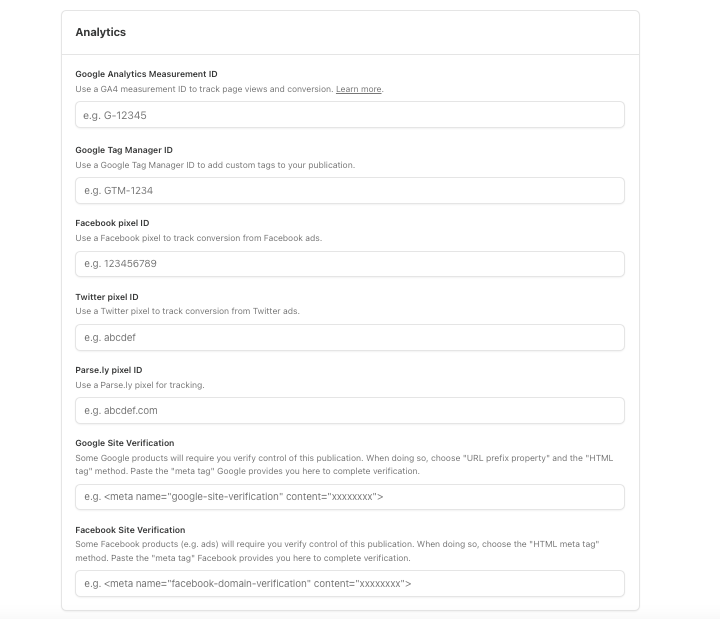
There are different metrics there. So before anyone gets confused:
The Google Analytics Measurement ID and Google Site Verification (via Google Search Console) serve two completely different purposes on Substack.
Analytics tracks visitor behavior.
Site Verification gives you control over your site’s presence in Google Search results.
Let’s begin.
Connect Substack to Google Analytics
1. Make an account with Google Analytics.
2. Create a new property.
Go to Admin and click Create > Property.
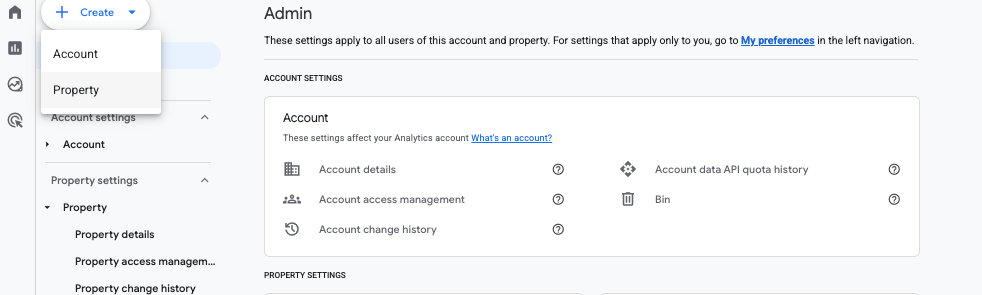
Follow the next steps to add your Property details and describe your business.
When you’re asked to choose a platform, click Web.
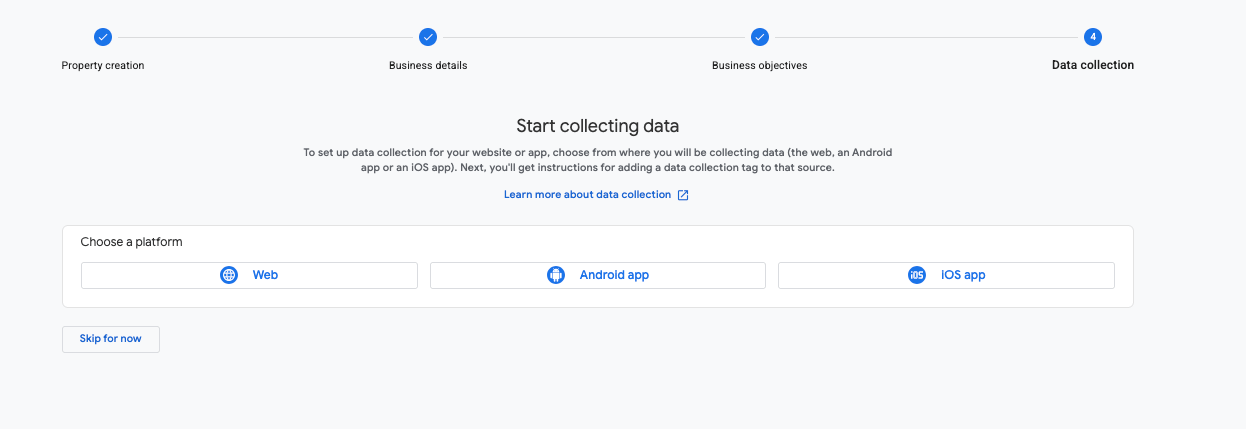
This is where you add your publication’s URL and name.
Next, click anywhere on the property and a new window with pop up with more details.
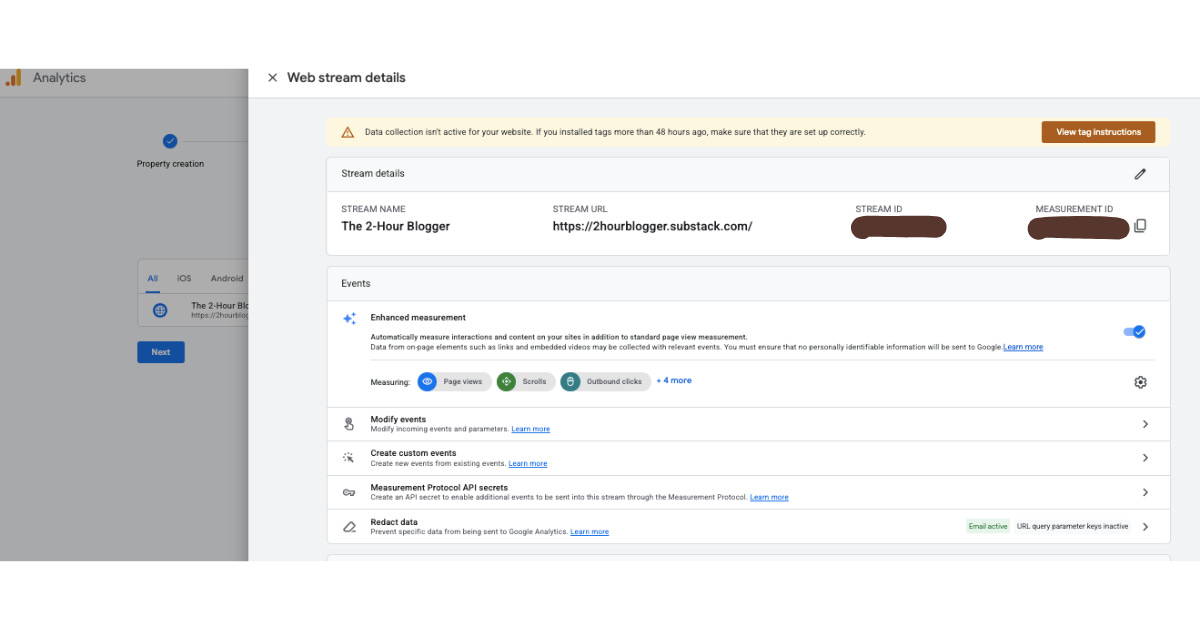
3. Copy the Measurement ID/Google tag.
4. In your Publication’s Settings, locate the Analytics section, and paste the tag under Google Analytics Measurement ID.
Paste it in the section for that in Analytics (in your Substack dashboard).
Then click Save, and we’re done.
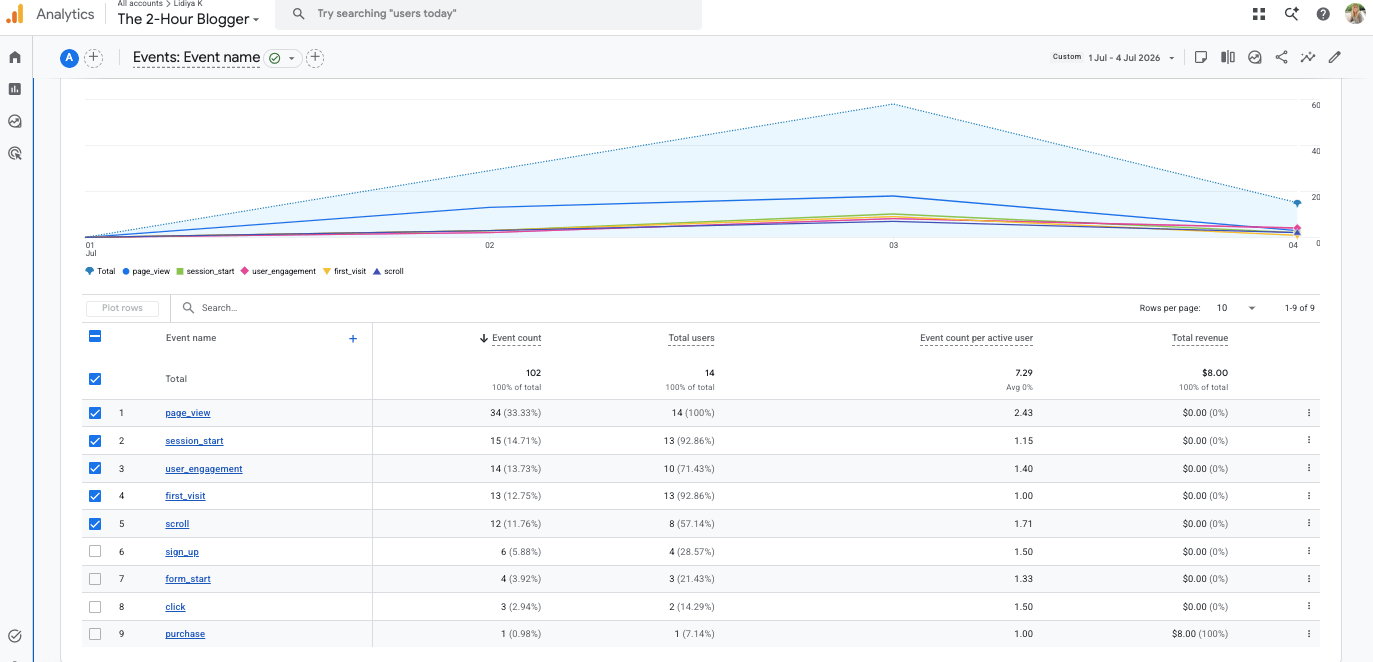
All kinds of data (such as page views, sign ups, etc.) should begin to appear in GA in 24-48 hours.
I checked in a day or 2, and it looked like this (even a new paid subscriber showed up as a new purchase):
Connect Substack to Google Search Console
1. Sign up to Google Search Console.
2. Add Property.
From the dropdown on the left (under the logo), you’ll see your existing properties (websites). Click there and select ‘Add Property’ at the bottom.
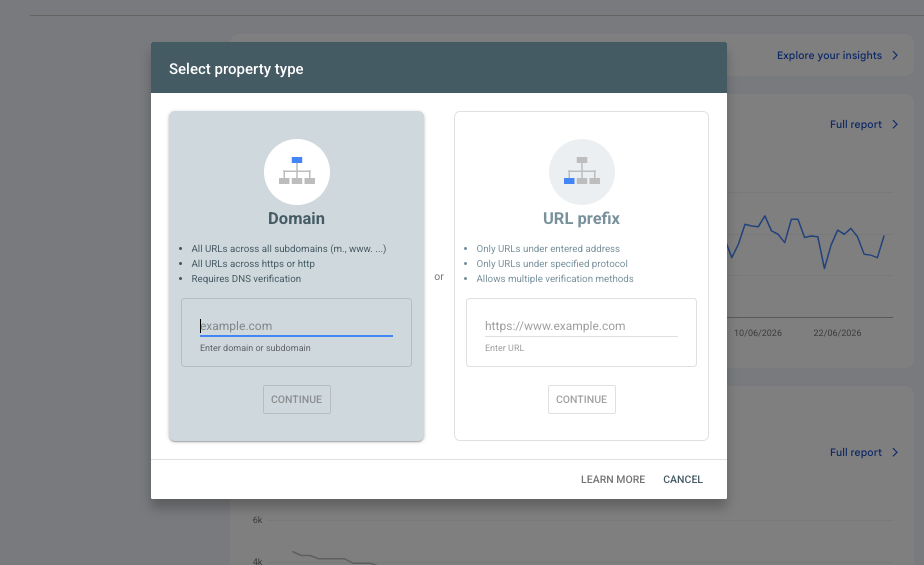
3. Verify site/Substack ownership.
Select the URL prefix and paste your Substack URL there (that of your publication).
On the next window, you’ll see different ways to verify it.
Click the HTML tag.
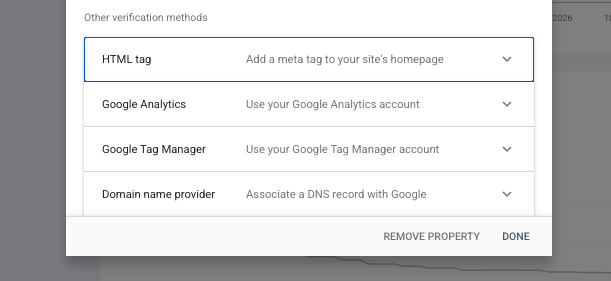
Copy the code and keep this window open.
4. Paste the tag in Substack and verify in GSC.
Then in Substack, in the Analytics area, paste under ‘Google Site Verification’ and click Save.
Now go back to that open window in Google Search Console, click Verify, and you should get that message right away if it worked:
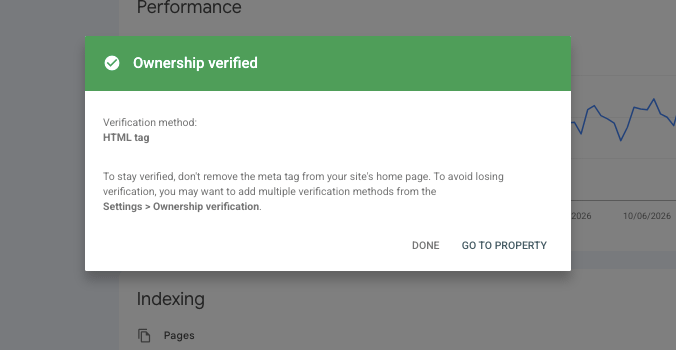
You’ll now see your property, but there won’t be data just yet. Maybe in a day or two.
July 2026 Update:
A few readers let me know that Substack removed the dedicated Google Site Verification field.
If that’s the case for you too, you can instead use the Google Tag Manager verification method. Here’s how:
Sign in/create an account.
Create a Web container.
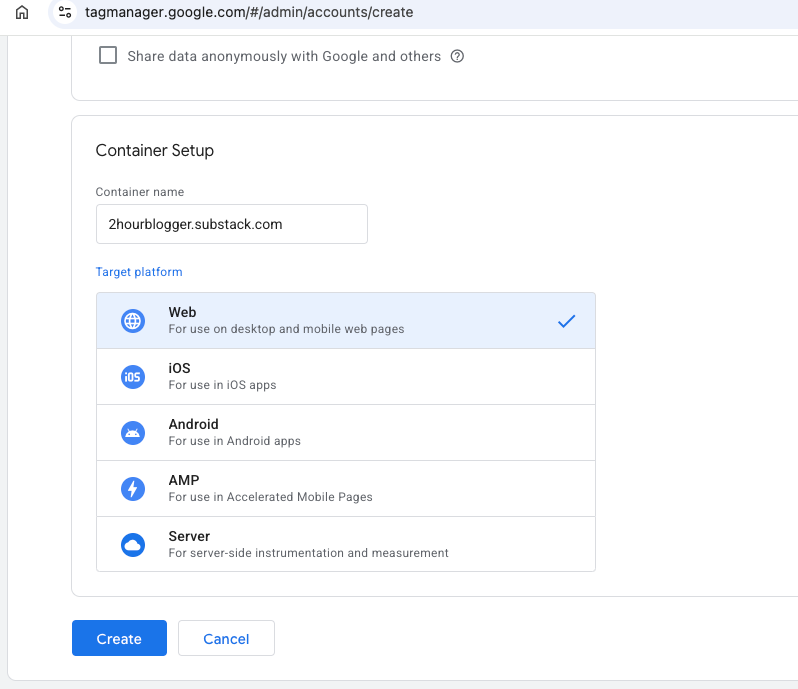
You’ll see HTML code snippets. Copy only the GTM-XXXXXXX container ID.
In Analytics on Substack, paste it under Google Tag Manager ID and click Save.
Back in Tag Manager, you can also test your website (it’s the option under the HTML code snippers).

5. Submit your sitemap.
Substack has already generated a sitemap for you. You can locate it by adding sitemap.xml at the end of your publication’s URL.
In Search Console, go to Sitemaps (ensure you’ve selected the right property first, if you have multiple websites like me).
And simply add that extension - sitemap.xml - in the empty space, then click Submit.
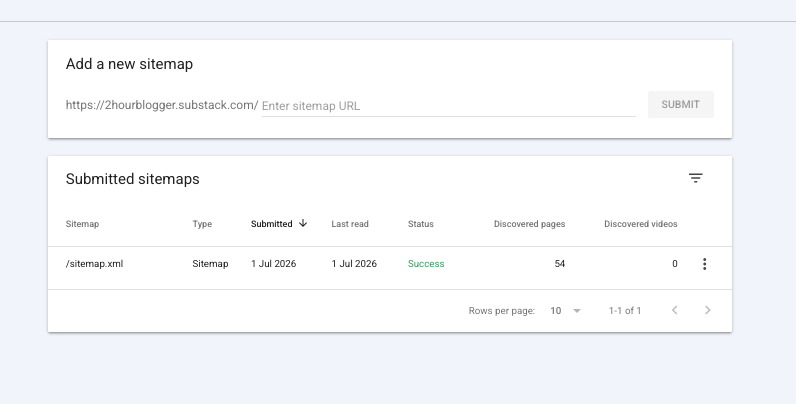
If done correctly, you’ll see the Success status and the number of discovered pages on your Substack publication. Google can then crawl them and start ranking them.
6. Check if a post is indexed
If you ever want to check if a post is indexed, or quickly tell Google to index an article you just posted, use the Inspection tool of Search Console.
You’ll see it at the top and can just paste any URL from your Substack publication.
Here’s an example:
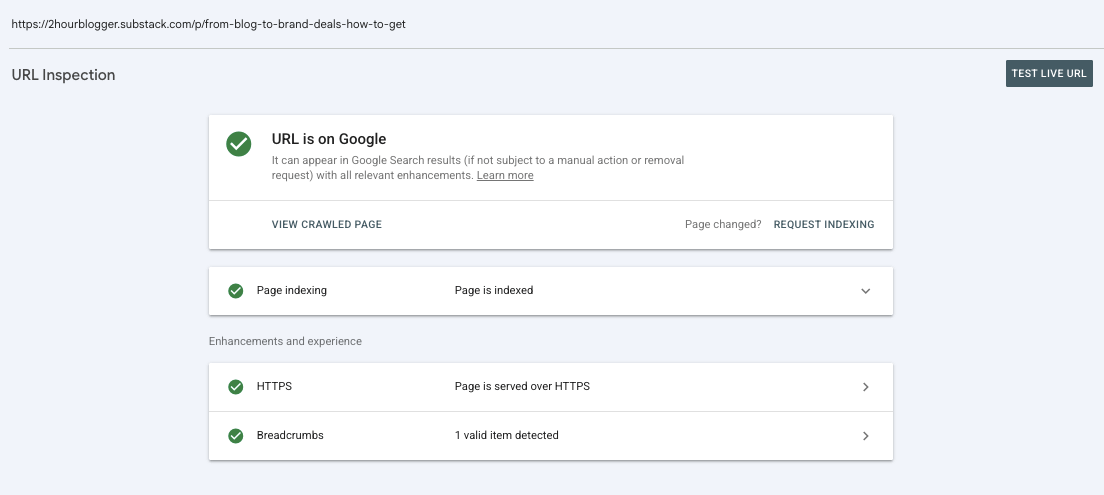
Just checked one of my pages and it’s indexed and appears correctly in the search results.
If, for any reason, it says it’s not indexed, simply click the button saying ‘Request Indexing’.
And that’s it.
Now your Substack is connected to both Google Analytics and Google Search Console, and that gives you a much clearer picture of how people discover and interact with your publication.
Got any questions? Leave a comment below.
Thanks for reading, and let me know if you get stuck during the setup.
Until next time,
Lidiya
This is genuinely useful. I think a lot of people treat Substack like it exists in a sealed little literary terrarium, then forget that evergreen posts can keep working outside the platform too. The distinction between Substack analytics and GA/GSC is especially helpful for anyone trying to build with a longer horizon.
Well , as a developer it is good option for those who don’t know much about the development and SEO , and it is helpful . And very easy to set up
need only google analytics - substack -console (one thing that keep in mind that you need same email in all platform to function it properly)
But in my case i don’t use same emails and I know about development so i build my own personal website using react , typescript so it become easy to showcase the whole works in different field and even better than substack , I also attached substack articles here so it will feel connected to each other not a separate identity
if you are interested to see it so you can check it out or simply skip it
https://www.devudainiya.com/