

My mind is mostly on Substack monetization lately, so I’m using the chance to share more of the basics around setting up the paid tier and converting free readers into paying members. One Subsatck feature you’d want to use is Subscriber Perks.
What are Perks
This is a great way to showcase your exclusive content and bonuses for paid members, all in one place.
That can be an eBook, checklist or any other downloadable file, but it can also be an external community you give people access to (such as a forum), a discount on anything else you offer, templates, or even courses.
And you get to display these in a nice grid format on a special page that will also appear in your menu, so anyone landing on your publication can see it.
This is yet another way to naturally promote your paid tier - you show free subscribers and non-subscribers what they are missing out on, and you also give your paid members a convenient way to unlock all their bonuses, whenever they want access to any of them.
The benefits are so many. This is still a new feature but most publications I know are making the most of it already. I take my time and only do things when I’m ready, and the time has finally come to set up my Subscriber Perks. 🎉
Below, I’ll share the exact steps.
How to Set Up Perks
In Dashboard > Settings, find Subscribers Perks and click Manage.
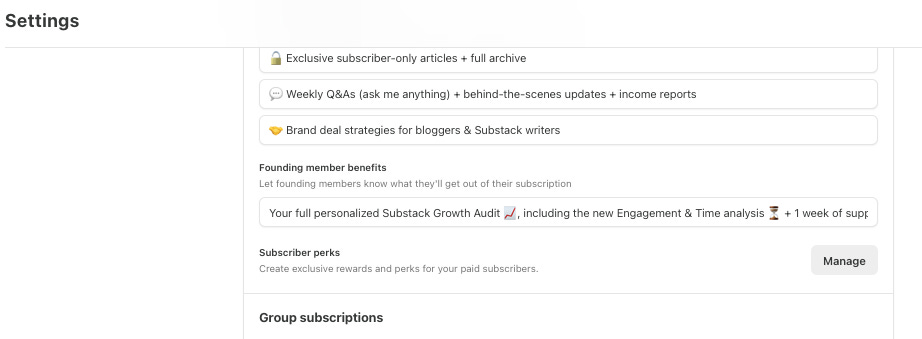
Next, click Create Perk.

There are different types you can choose from.
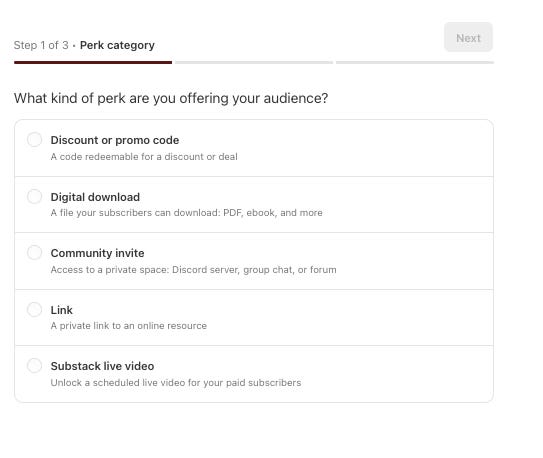
A discount or promo code, a digital download, a community invite (if you have a forum or group chat on another platform), a link to any resource online, or a live video you created for your paid subscribers.
I’ll now upload my first perk, a digital download - From Blog to Substack, the eBook.
So I chose ‘Digital download’ and clicked Next.
On the next page, I can add the title, description, image and downloadable file.
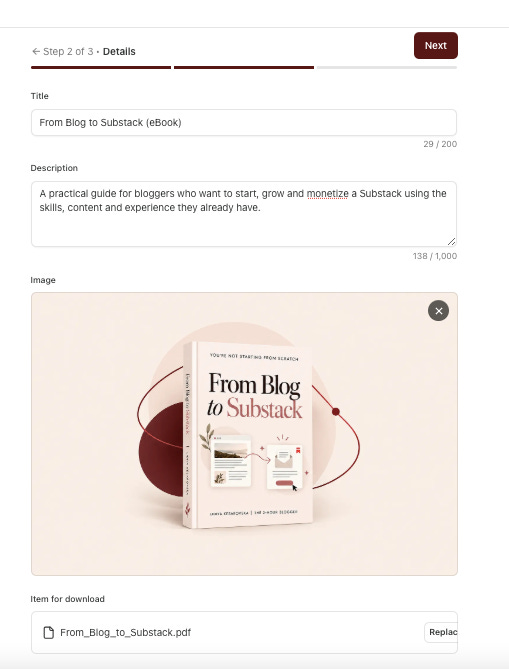
Make sure you use quality images, and once you have more perks, it’s best if all images have the same style so the whole page is on brand.
But don’t obsess over creating the perfect perk image now. You can always update it later.
The final step is to choose your audience. In my case, it’s for all paid members.
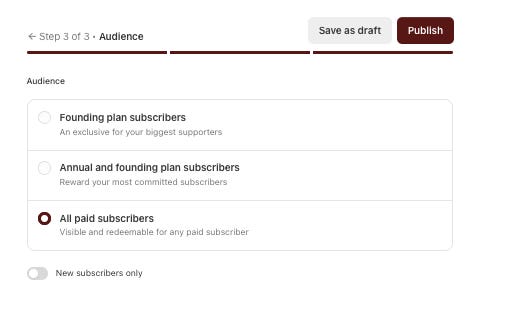
And let’s hit Publish.
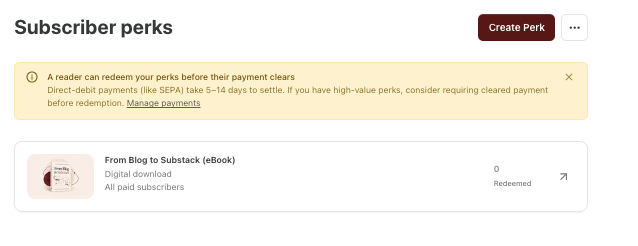
We then get a notification that a reader can redeem the perks before the payment clears (in some cases), and there’s a way to prevent that.
The solution seems to be to disable direct debit payments (like SEPA or ACH) in your publication settings, but I’m not going to do that.
These are alternative payment methods and they might be the only reason some people upgrade their subscription. By revoking that, I limit some readers from becoming paid members, and decrease my conversion rate. So, no. I’m taking the risk (access to perks being redeemed before the payment is finalized, and the possibility of failed payment fees).
Let me know your thoughts on that, or if there’s anything I’m missing here since I’m new to Perks.
Now that we’ve successfully created the first bonus, we can see how the Perks page looks like. Do that from the 3 dots.
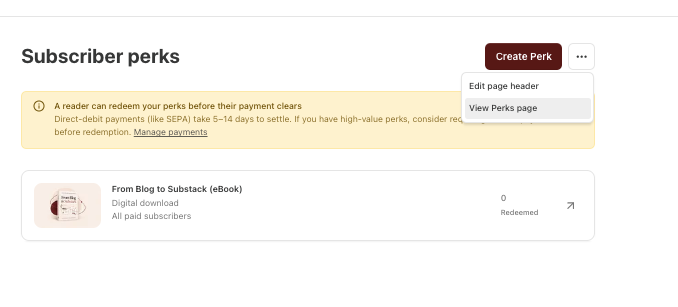
Once your first perk is live, this page is automatically created for you and added to your menu.
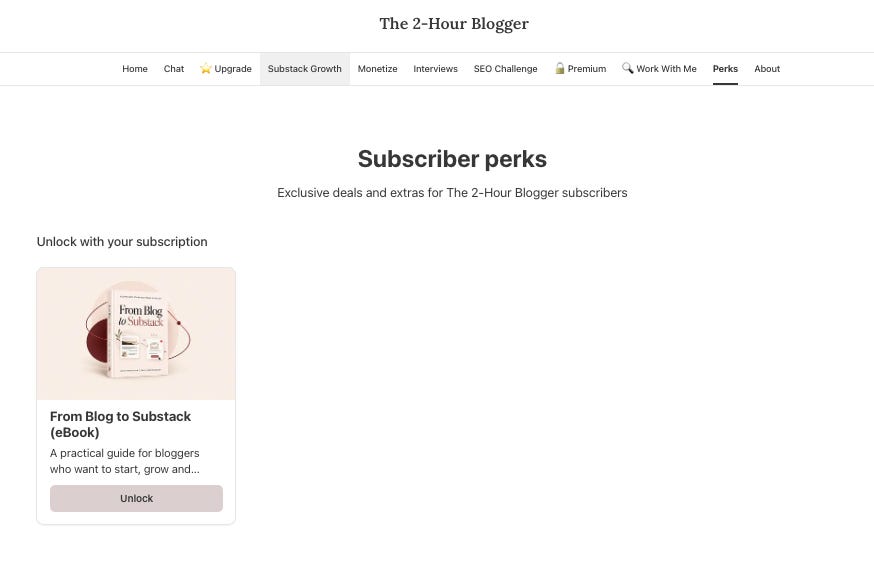
Logged-out visitors and free subscribers will see these items with a locked status, and can only access them if they upgrade. So this page and every perk in it turns into another conversion point, another chance to turn free readers into paying members.
You can then click on each item on that page and edit it individually once you have more perks.
One more thing we can edit is the Header of this page, and that also happens from the 3 dots next to the Subscriber perks section in your dashboard.
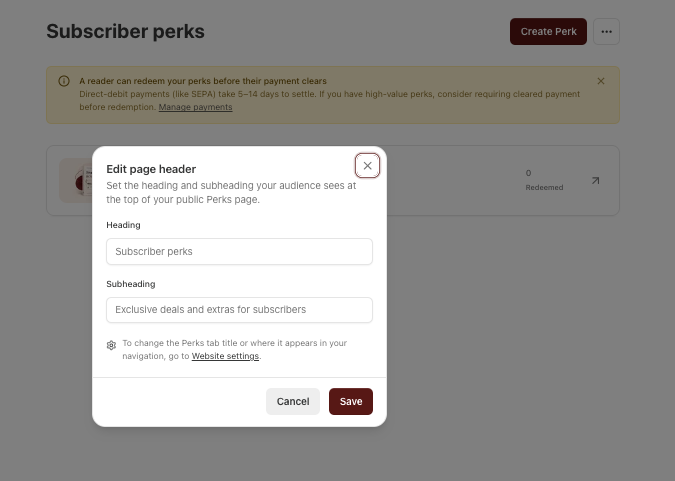
It’s pretty basic, but we should use the opportunity to personalize it, I believe.
Here you can write your own heading and subheading.
You also have the option to go to Website settings and update the Perks tab title, and give it any other name. For now, I will leave it like that as I think most readers on Substack recognize it easily.
So, there we go. My first perk is live, and maybe yours too if you followed the steps and set it up together with me :)
Want to go deeper?
I share practical strategies for growing a Substack, from getting discovered and building an audience to turning readers into paying subscribers.
If you’re serious about growing your publication, join the paid tier for more in-depth strategies, behind-the-scenes lessons, and everything I’m learning along the way. Here’s what you unlock as a member.
What’s next?
Well, you can keep adding as many Perks as you want. There are fun ways to build new ones, such as turning a post that did well into a checklist, or combining your best tips into a guide.
It could be anything, really. Just find a way to display it on this page.
Go check out the Perks pages of your favorite publications. I’m sure you’ll find some great ideas there.
Let me know how it goes.
PS, Next week, I’m running a free challenge to help you get more paid subscribers. We start on Monday, and it’s happening right here, on my publication. It’s called the Free-to-Paid Challenge, and over the course of 7 days, I’ll share steps and actions you can take to convert more readers into paying members. Are you joining us?
Lidiya, it's a useful article. I have a separate page with all subscriber benefits but adding Perks should be a good idea as well. Thanks
I’m thinking these could be a great way for me to deliver the digital downloadable paper dolls for my Cozy Keepsakes like the paper dolls