


Lately, many of you have told me that my Notes got better, and that you really like them.
That was great to hear because I’ve been actively working on improving them by making them more valuable, more strategic, and more relevant.
I started testing new formats too. They blend pretty naturally into the rest of my content, so you may not have even noticed.
Better Notes are also part of the Bestseller experiment I’m currently running.
And while I’m posting Notes more often, putting more thought into them, and trying different formats, I’ve also added a secret weapon to my arsenal: a tool.
I’ve never really written about tools before, simply because I wasn’t using any specifically for Substack.
Until now.
There are quite a few of them, as you probably know. And while they’re definitely not necessary, (plenty of creators have grown their publications into full-time businesses without extra dashboards or automations) they can be an asset.
Today, I want to talk about the one I started using.
Introducing WriteStack
WriteStack is a growth and monetization tool built by a Substack creator, Orel, for Substack creators.
It’s the operating system for Substack Notes.
It basically adds some of the features Substack is missing, like deeper analytics, while also doing a lot of the heavy lifting around Notes.
You can create, manage, and schedule Notes from there (bulk scheduling, a content calendar, a queue you can reorder, a Claude MCP integration for writers who work with AI, and cross-post to any platform with a Buffer integration.)
You can use the Notes Generator to improve your Notes.
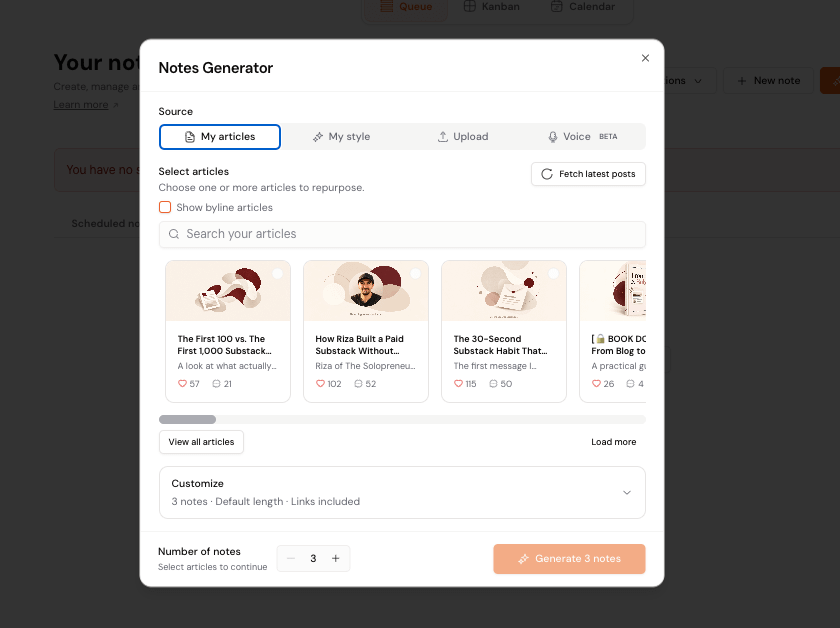
I like seeing what it comes up with based on my articles, or my style. And then I can always edit it to make it sound more like me, although it’s already doing a good job.
One feature I really like is Notes Performance.
You can sort your Notes by comments, likes, free subscribers, and other metrics to quickly see which ones performed best.
From there, you can repurpose them.
That might mean publishing a strong Note again as it is because it’s already proven to work, or changing the angle slightly and publishing a new version.
You can even ask the AI to rewrite it right there or improve the hook with one click.
By the way, this is just one of the many little strategies you can try using the tool.
And it comes at exactly the right time for me because I recently set the wild goal of reaching 100 paid members by the end of the year. I made a list of things I want to try to get there, and several of them involve Notes strategies I haven’t tested before.
A tool like WriteStack makes those experiments much easier to manage.
The Notes Statistics is next level.
I’m guilty of not having analyzed my Notes that well so far. And that’s such a missed opportunity for growth.
Now I can finally see things at a glance. Here’s how that looks like for the past 30 days:
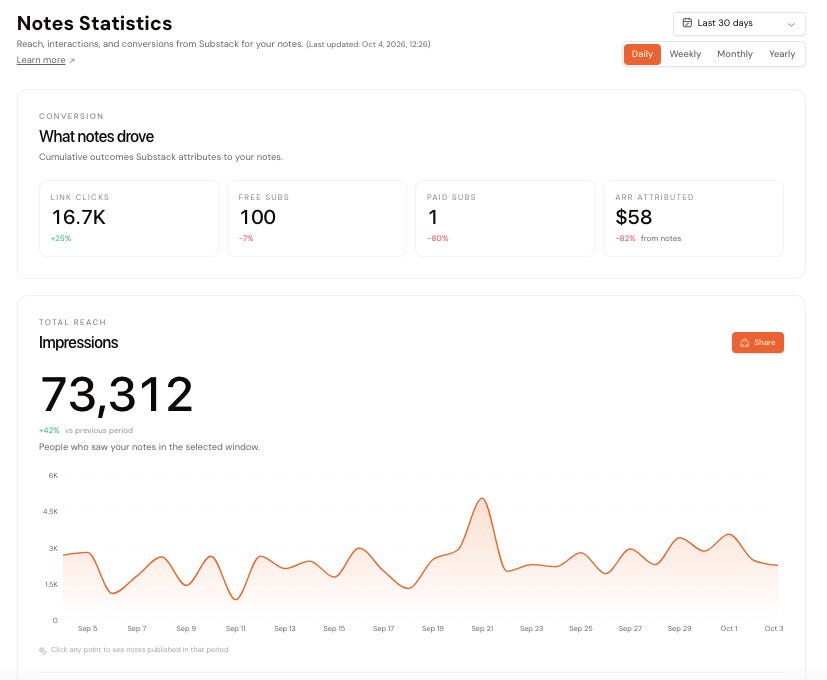
The Interaction mix is where it gets even better.
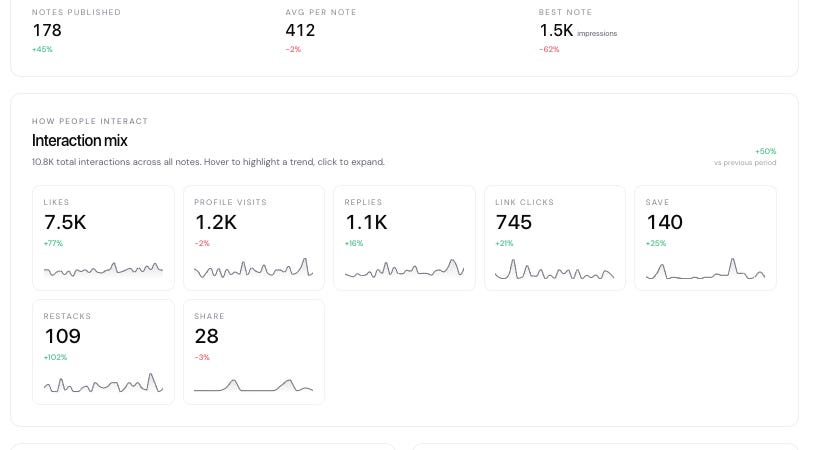
Profile visits are important to me (it’s one step closer to someone becoming a subscriber, I believe). So when I expand that, I can see how many I got each day.

One day I got 100 profile visits. What a record! And the tool allows me to click on any day and see the Notes published then, so let’s do that.
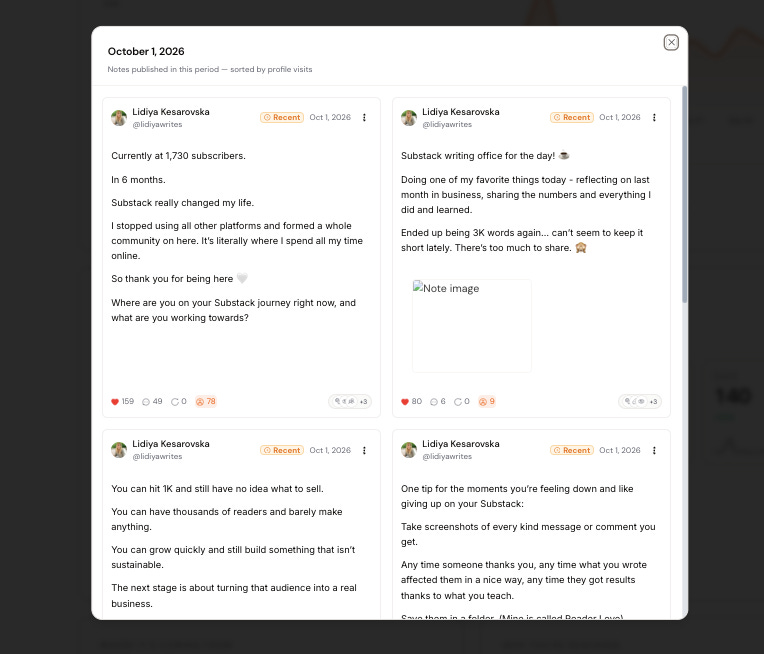
I posted 8 Notes that day. I know the first one, in particular, performed quite well.
I can use this data to decide on my next Notes, or maybe restack some of these, or use the same format.
This really helps because sometimes we can get lost in posting the Notes we think will do well, when in fact it’s others that actually performed well.
That’s why we need this data.
So you can see why WriteStack is becoming part of my daily Substack routine. And that’s not all it offers.
Another useful feature is the Activity Center.
Instead of jumping around Substack, you can see your latest notifications in one place (like comments on your Notes, replies to your comments, mentions, and more).
You can like and reply directly from there.
The goal is simple: make interacting with your audience easier and faster.

There are also a few other interesting features:
Automated direct messages. This isn’t something I’m planning to use right now, but the option is there. You can send personalized welcome messages to free or paid subscribers.
Inspirations. This tab shows you high-performing Notes selected for you, which you can use as inspiration for your own content. I hang in there often.
Follows. You can manage and reply to comments from creators you follow, which makes it easier to intentionally build relationships.
If you’re curious about it, there’s a 7-day free trial, so you can test the features yourself and see whether it actually makes your Substack workflow easier.
How to Get Started with WriteStack
I love step-by-step tutorials and always make sure to document all that I’m doing, so if you’ll be signing up for the tool, here are the next steps:
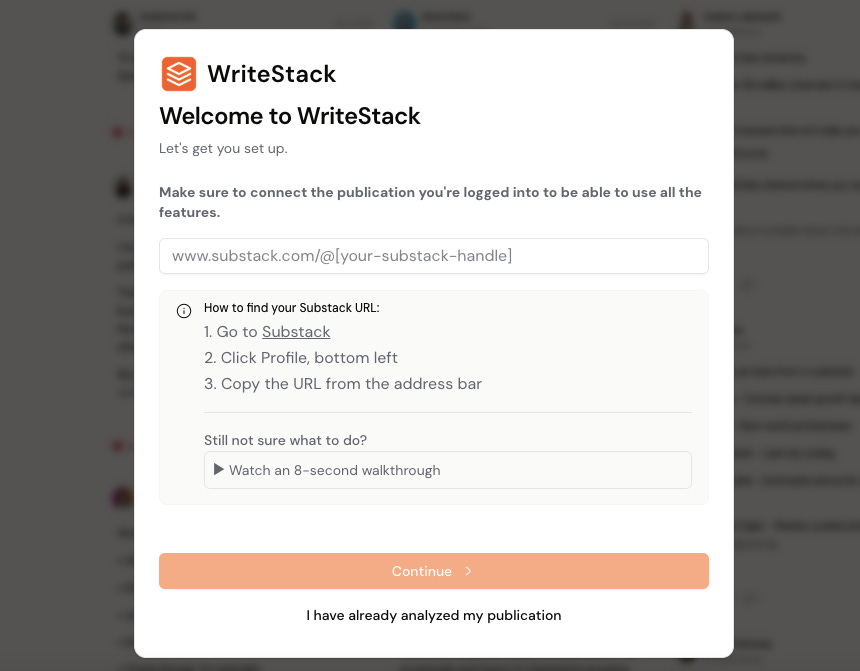
1. Connect your publication and add your details.
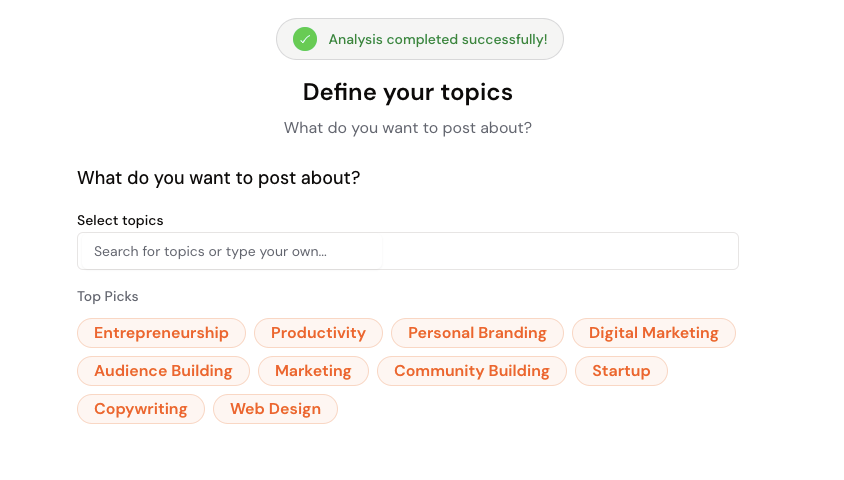
2. Define your topics.
3. Choose your writing style.
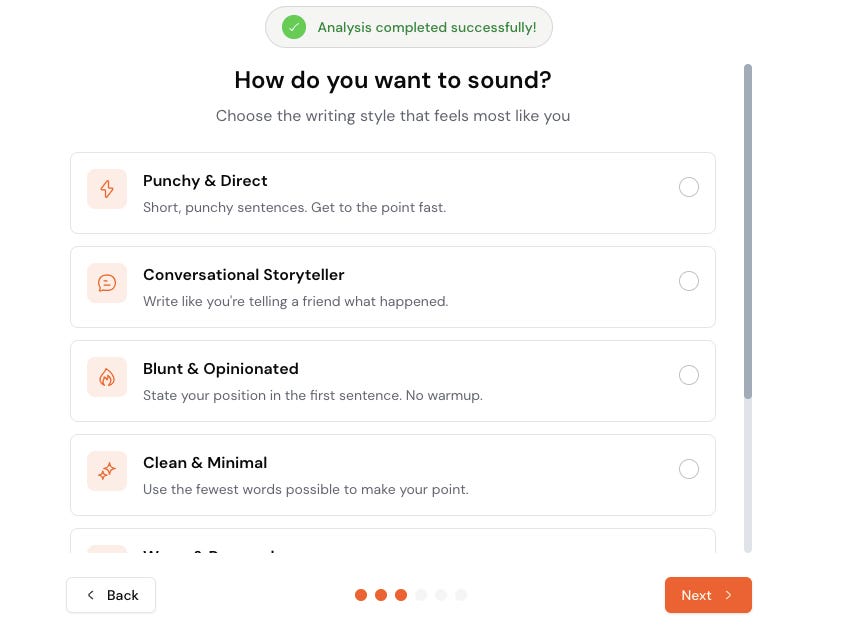
You can choose more than one.
4. Decide how often you’ll publish.
5. Install the Chrome extension.
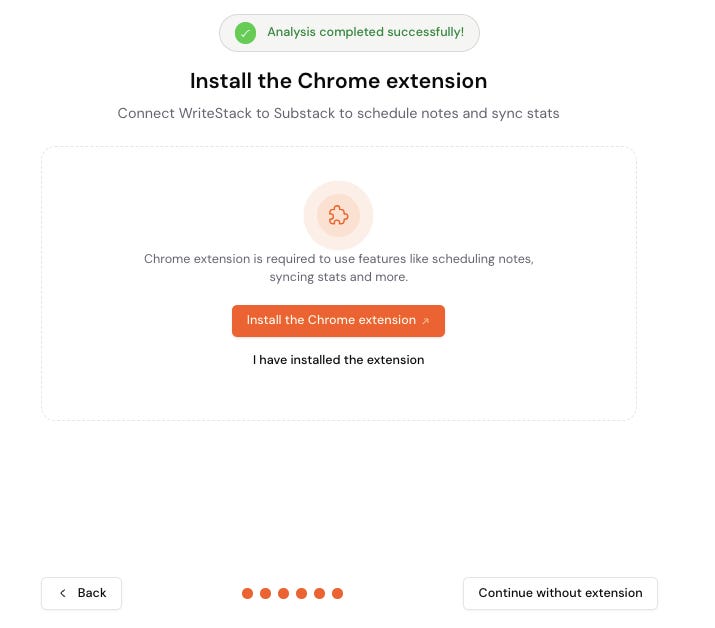
You’ll need it to make the most of the tool.
Once that’s done, WriteStack starts analyzing your Notes.
And that’s basically it. You can start using the tool right away.
After installing the browser extension, you’ll also notice an extra icon on your Notes inside Substack. You can use it to save a Note directly to your WriteStack drafts.

Where I Think WriteStack is Most Useful
If you’re already using Notes regularly, WriteStack can make a few parts of the process much easier.
You can spend less time digging through notifications and more time actually engaging with people.
You can quickly see which Notes are performing best instead of guessing what’s working.
You can repurpose Notes that already did well, improve weaker ones, and stay more consistent without constantly starting from scratch.
And if you want to take Notes more seriously as a growth channel, the deeper analytics can help you understand which ones are actually bringing in subscribers and conversions.
You definitely don’t need another tool to grow on Substack. But if Notes are becoming a bigger part of your strategy, this can make managing them much less messy.
And if you already use it, let me know in the comments. Maybe you’ve discovered another smart way to use it that I haven’t found yet. If so, please share it.
Just started on WriteStack... Such a game changer. Even if you're someone like me who likes writing your own notes without the AI-generated suggestions, it still saves so much time in scheduling, refining, etc. And the best is activity center to tease out all the notifications. Worth every penny. Thanks for this informative article. I hope it helps others too.
Thank you for this great information and wonderful takeaways! Great reminder that we can learn so much from looking at what's already working rather than constantly trying to come up with something new. Paying attention to which notes spark conversations and attract others to subscribe seems like a very valuable part of growing.