

Welcome to Day 5 of the Substack SEO Challenge.
Just joining? Catch up on the previous days here:
Today, we’ll talk about optimizing your visuals.
Did you know that your images can rank on Google too and bring you traffic?
They can appear in Google images and the standard search results, but there’s a little something you need to do to make it happen.
Your biggest SEO opportunity is your written content, though, let’s be clear about that. This is just an extra, so only do it if you have the time and are interested in it.
So, what do you need to do? Add descriptive text + keywords on your images so Google can understand them.
Before you upload the image to your post, rename it. You can give it a descriptive file name.
For example, instead of IMG_4839.jpg, you can write travel-packing-checklist.jpg (for an article on that topic).
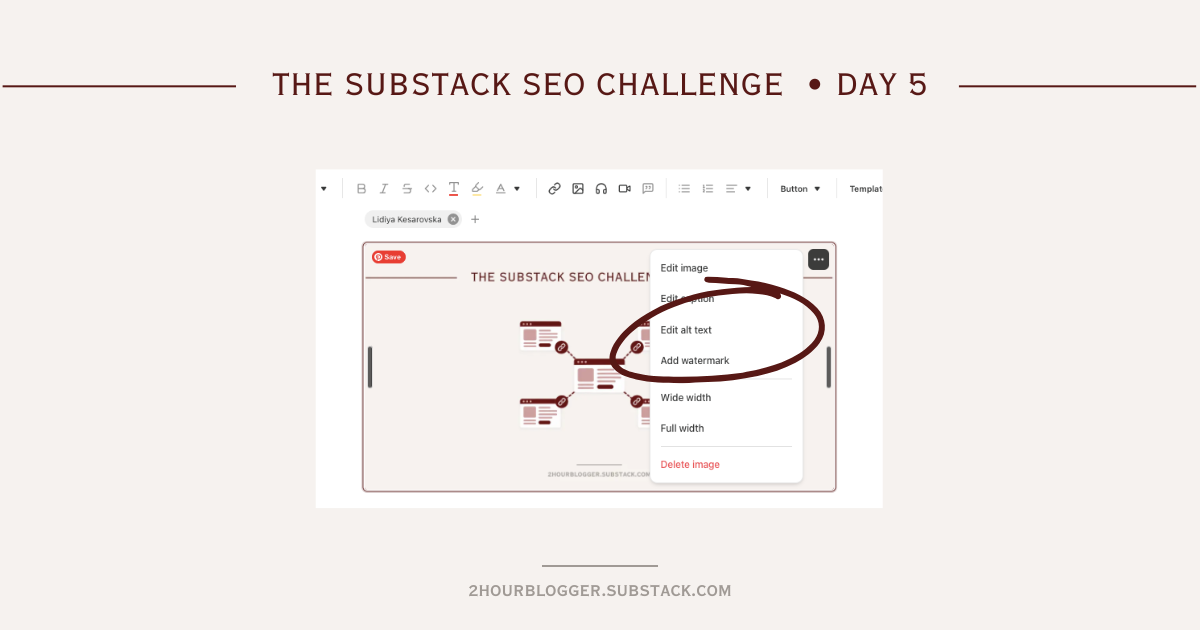
Then, add the image to your post and click the 3 dots.
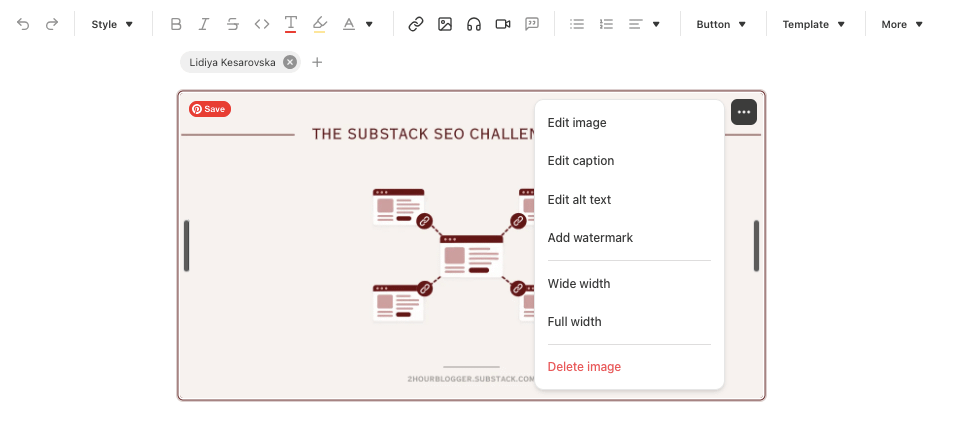
From the available options, what’s important here is the alt text. This is the written description added to the code of an image, and it’s what search engines use to understand it and rank it.
Alt text also appears when an image can’t be loaded, so make it useful for readers too, not just search engines.
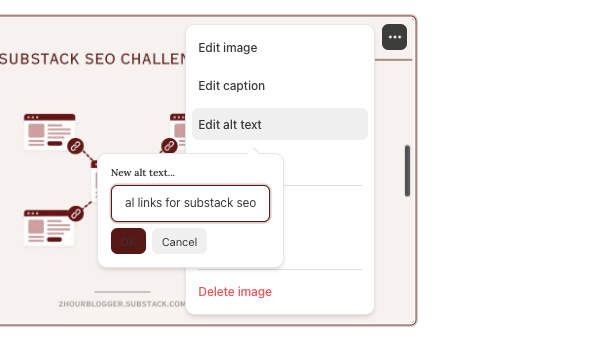
This is what I want you to pay attention to. You can naturally add your keyword here, or even just the title of your post. Anything is better than leaving it without any alt text.
A few more things to know:
We’re talking about images in public posts (not paywalled ones).
Search engines look at the big picture when ranking any element on a page. The image can be optimized, but it needs to be connected to the topic of the post, the title, and the text around the visual (Google uses the surrounding content too for context).
Be careful not to over-optimize, don’t just stuff keywords in image descriptions.
Substack already does a lot about our images in terms of resizing and compressing. Here’s what they said:
To ensure that your images don’t hurt your SEO ranking and offer the optimal reader experience, Substack resizes your images. This means you can upload any size of image at any resolution directly into the editor. We compress the photo, without distorting the quality. For mobile devices, we automatically resize the images for the size of the device to save bandwidth and allow faster load times on cellular connections. In supported browsers, we serve images in WebP format, which offers a 25% faster image loading time.
We also tell browsers which images are at the top of your post and which are lower down, so they can prioritize downloading the images at the top of the post first and load the remaining images as the reader scrolls.
🎯 ACTION ITEMS
#1: Go to your latest post and add alt text to the main image.
#2: Going forward, rename images before uploading them, and add alt text.
That’s it for today! This is a small optimization, so don’t go back to update hundreds of images. Start with your most important posts and make it part of your workflow going forward.
I’m curious, is image optimization something you’ve ever considered?
Please keep in mind that alt text is intended for people who use screen readers so they can be told what the image is and not miss out on the value of the images. It’s an accessibility field. Adding a useful alt text description can help SEO and this shouldn’t be done at the expense of readability and accessibility (which you acknowledge and I’m emphasizing).
Thanks a lot, Lidiya, for this post and for all the effort you put into teaching others!